> ## Documentation Index
> Fetch the complete documentation index at: https://docs.gainable.dev/llms.txt
> Use this file to discover all available pages before exploring further.
# Changing a built app
> How to ask for changes once your app is up and running
Building an app is one conversation. Changing it is a different one, with different rules — the app already exists, so every request lands against something real.
This page is about the chat panel in the Gainable builder. Driving Gaia from Claude Code, Claude, or Cowork instead? The same planner does the work and the same advice applies — see the [`chat` tool reference](/mcp/tools#chat) for what differs.
## What happens when you send a change
It sees what's already built, not just your sentence.
A title, a one-line summary, and a checklist — written live, filling in as the planner works.
Nothing changes until you click **Accept**. **Reject** doesn't undo anything; it throws the plan away so you can describe it differently.
The send button becomes a **stop** button and the input reads *"Agent working…"*. Click stop to cancel.
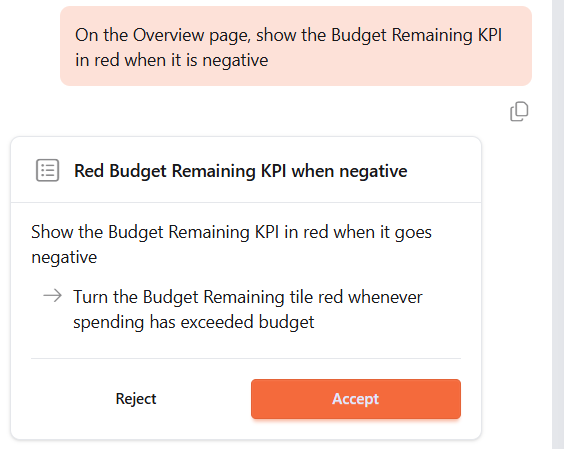 Reading the plan card before accepting is the cheapest quality check available. If the checklist mentions a page you didn't ask about, reject it and say which page you meant — that costs seconds, where letting it run costs a build and an undo.
Notice how short that checklist is. A one-line request should produce a one-line plan; a checklist that has grown extra items is usually a sign the request carried more than you meant it to.
The **Auto accept plans** toggle in the chat toolbar skips the approval step. Useful once you trust a run of small changes; turn it back off for anything structural.
**One change runs per app at a time.** Sending a second request while one is building is refused rather than queued — wait for the first to finish.
### When Gaia asks a question back
Sometimes the plan card is replaced by a question with two to four options. That happens when the request has more than one reasonable reading, is missing something the planner can't infer, or is too vague to scope.
It is not a failure, and it's cheaper than the alternative. Answer it and the turn continues.
If your request was about something you screenshotted, attach the screenshot again with your answer. The follow-up is an ordinary message, and re-attaching is the reliable way to keep the picture in play.
## Say where the change goes
### The page you're on is a hint, not a target
The builder tells the planner which page you're looking at, but treats it as a clue rather than an instruction — because a request that names somewhere else has to win.
```text Good theme={null}
On the deals page, add a filter dropdown for status
```
```text Ambiguous theme={null}
Add filtering
```
Name the page whenever the change belongs to a specific one. Asking about deals while standing on Companies has produced a plan that targeted Companies — the page you're on is a strong hint, and an unnamed request lets it win.
Attaching a screenshot or selecting an element on the page removes the ambiguity entirely. Then the page isn't a hint any more — it's the thing you pointed at.
### Name the thing you're changing
Reference what already exists, by the name the app uses for it.
```text Good theme={null}
Add a due date field to the Task model
```
```text Less clear theme={null}
Add due dates
```
```text Good theme={null}
Add a chart showing Tasks grouped by status
```
```text Creates confusion theme={null}
Add a chart showing items by category
```
### Say it in the app's own words
If the app already has a component that does the job, name it and you'll get that component. Describe the behaviour instead and you may get a hand-written reimplementation of something that already shipped.
```text Good theme={null}
Add a task list to the deal detail page
```
```text Invites a reimplementation theme={null}
Add a checklist where I can tick things off,
with overdue ones in red
```
## Bug or preference?
This distinction is worth more than any other phrasing tip on this page.
A **bug** is the app failing to do what it was built to do. A **preference** is you wanting it to do something different. Gaia handles both, but it handles them through different paths — and a preference reported as a bug sends it hunting for a defect that was never there.
```text Preference — say it as a change theme={null}
Change the notes field on the task form
from required to optional
```
```text Reads as a bug report theme={null}
Notes shouldn't be mandatory, please fix this
```
"Make notes not mandatory" phrased as a defect has cost thirty turns of diagnosis for what was a one-line change. If the app is doing exactly what you asked for and you've changed your mind, say so plainly — *"change X to Y"*, not *"X is broken"*.
When something genuinely is broken, describe what you saw and what you expected:
```text Good theme={null}
The deal amount is showing without a dollar sign.
It should display as currency, like $50,000
```
```text Vague theme={null}
The amounts look wrong
```
```text Good theme={null}
On the deals page, when I click Add Deal and submit the form,
the deal doesn't appear in the list. I have to refresh to see it
```
```text Vague theme={null}
Adding doesn't work
```
Can't pin down what's wrong? Run [Audit codebase](/reference/troubleshooting#audit-codebase) — it checks the whole app rather than the part you suspect.
## Keep the request small
### One change per message
A small request gets a small, correctly-scoped plan. Padding one with extras you don't need produces a plan that touches more of the app than it should.
```text Good theme={null}
Add a phone number field to the Contact form
```
```text Over-scoped theme={null}
Add a phone number field to the Contact form, and while
you're there tidy up the layout, check the validation,
and maybe add a country code picker
```
Send them as separate messages instead. Each one gets its own plan you can read.
### Name both ends of a move
A move needs a source and a destination. With only one, there's nothing to change.
```text Good theme={null}
Move the Notes field from the sidebar into the main form
```
```text Does nothing theme={null}
Move the Notes field
```
### Don't add "keep X unchanged"
It reads like a safety net and works as the opposite. If `X` doesn't match something actually on the page, the clause sends the planner looking for it, and the request it was protecting gets lost. Existing views are edited surgically, never rewritten wholesale — the things you didn't mention are already safe.
```text Good theme={null}
Add a due date column to the tasks table
```
```text Risky theme={null}
Add a due date column to the tasks table, but keep the
sort order and grouping exactly as they are
```
## Show it instead: screenshots
Sometimes words aren't enough. Take a screenshot of your app and **annotate it** with drawings, arrows, and text to show exactly what you mean.
Reading the plan card before accepting is the cheapest quality check available. If the checklist mentions a page you didn't ask about, reject it and say which page you meant — that costs seconds, where letting it run costs a build and an undo.
Notice how short that checklist is. A one-line request should produce a one-line plan; a checklist that has grown extra items is usually a sign the request carried more than you meant it to.
The **Auto accept plans** toggle in the chat toolbar skips the approval step. Useful once you trust a run of small changes; turn it back off for anything structural.
**One change runs per app at a time.** Sending a second request while one is building is refused rather than queued — wait for the first to finish.
### When Gaia asks a question back
Sometimes the plan card is replaced by a question with two to four options. That happens when the request has more than one reasonable reading, is missing something the planner can't infer, or is too vague to scope.
It is not a failure, and it's cheaper than the alternative. Answer it and the turn continues.
If your request was about something you screenshotted, attach the screenshot again with your answer. The follow-up is an ordinary message, and re-attaching is the reliable way to keep the picture in play.
## Say where the change goes
### The page you're on is a hint, not a target
The builder tells the planner which page you're looking at, but treats it as a clue rather than an instruction — because a request that names somewhere else has to win.
```text Good theme={null}
On the deals page, add a filter dropdown for status
```
```text Ambiguous theme={null}
Add filtering
```
Name the page whenever the change belongs to a specific one. Asking about deals while standing on Companies has produced a plan that targeted Companies — the page you're on is a strong hint, and an unnamed request lets it win.
Attaching a screenshot or selecting an element on the page removes the ambiguity entirely. Then the page isn't a hint any more — it's the thing you pointed at.
### Name the thing you're changing
Reference what already exists, by the name the app uses for it.
```text Good theme={null}
Add a due date field to the Task model
```
```text Less clear theme={null}
Add due dates
```
```text Good theme={null}
Add a chart showing Tasks grouped by status
```
```text Creates confusion theme={null}
Add a chart showing items by category
```
### Say it in the app's own words
If the app already has a component that does the job, name it and you'll get that component. Describe the behaviour instead and you may get a hand-written reimplementation of something that already shipped.
```text Good theme={null}
Add a task list to the deal detail page
```
```text Invites a reimplementation theme={null}
Add a checklist where I can tick things off,
with overdue ones in red
```
## Bug or preference?
This distinction is worth more than any other phrasing tip on this page.
A **bug** is the app failing to do what it was built to do. A **preference** is you wanting it to do something different. Gaia handles both, but it handles them through different paths — and a preference reported as a bug sends it hunting for a defect that was never there.
```text Preference — say it as a change theme={null}
Change the notes field on the task form
from required to optional
```
```text Reads as a bug report theme={null}
Notes shouldn't be mandatory, please fix this
```
"Make notes not mandatory" phrased as a defect has cost thirty turns of diagnosis for what was a one-line change. If the app is doing exactly what you asked for and you've changed your mind, say so plainly — *"change X to Y"*, not *"X is broken"*.
When something genuinely is broken, describe what you saw and what you expected:
```text Good theme={null}
The deal amount is showing without a dollar sign.
It should display as currency, like $50,000
```
```text Vague theme={null}
The amounts look wrong
```
```text Good theme={null}
On the deals page, when I click Add Deal and submit the form,
the deal doesn't appear in the list. I have to refresh to see it
```
```text Vague theme={null}
Adding doesn't work
```
Can't pin down what's wrong? Run [Audit codebase](/reference/troubleshooting#audit-codebase) — it checks the whole app rather than the part you suspect.
## Keep the request small
### One change per message
A small request gets a small, correctly-scoped plan. Padding one with extras you don't need produces a plan that touches more of the app than it should.
```text Good theme={null}
Add a phone number field to the Contact form
```
```text Over-scoped theme={null}
Add a phone number field to the Contact form, and while
you're there tidy up the layout, check the validation,
and maybe add a country code picker
```
Send them as separate messages instead. Each one gets its own plan you can read.
### Name both ends of a move
A move needs a source and a destination. With only one, there's nothing to change.
```text Good theme={null}
Move the Notes field from the sidebar into the main form
```
```text Does nothing theme={null}
Move the Notes field
```
### Don't add "keep X unchanged"
It reads like a safety net and works as the opposite. If `X` doesn't match something actually on the page, the clause sends the planner looking for it, and the request it was protecting gets lost. Existing views are edited surgically, never rewritten wholesale — the things you didn't mention are already safe.
```text Good theme={null}
Add a due date column to the tasks table
```
```text Risky theme={null}
Add a due date column to the tasks table, but keep the
sort order and grouping exactly as they are
```
## Show it instead: screenshots
Sometimes words aren't enough. Take a screenshot of your app and **annotate it** with drawings, arrows, and text to show exactly what you mean.
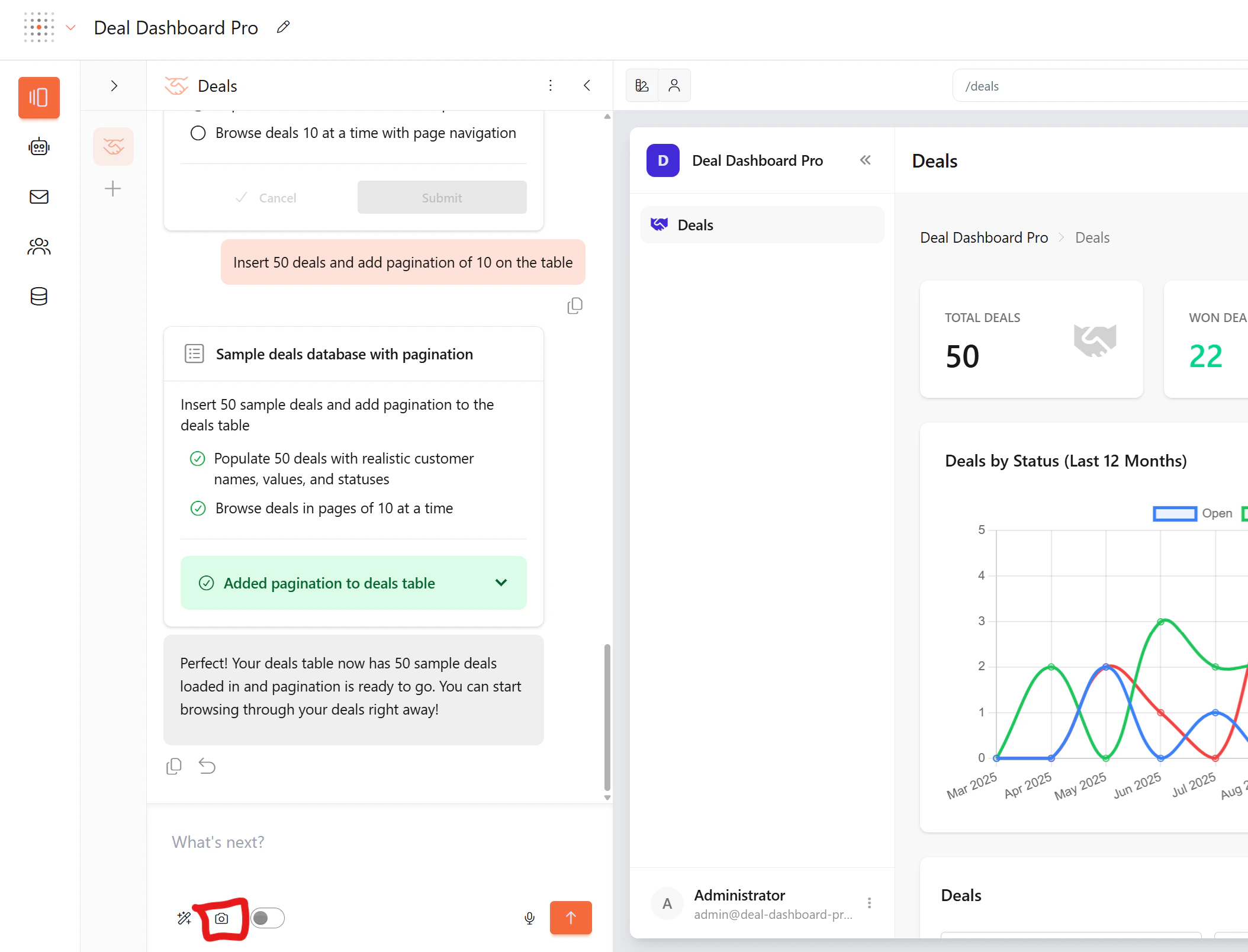
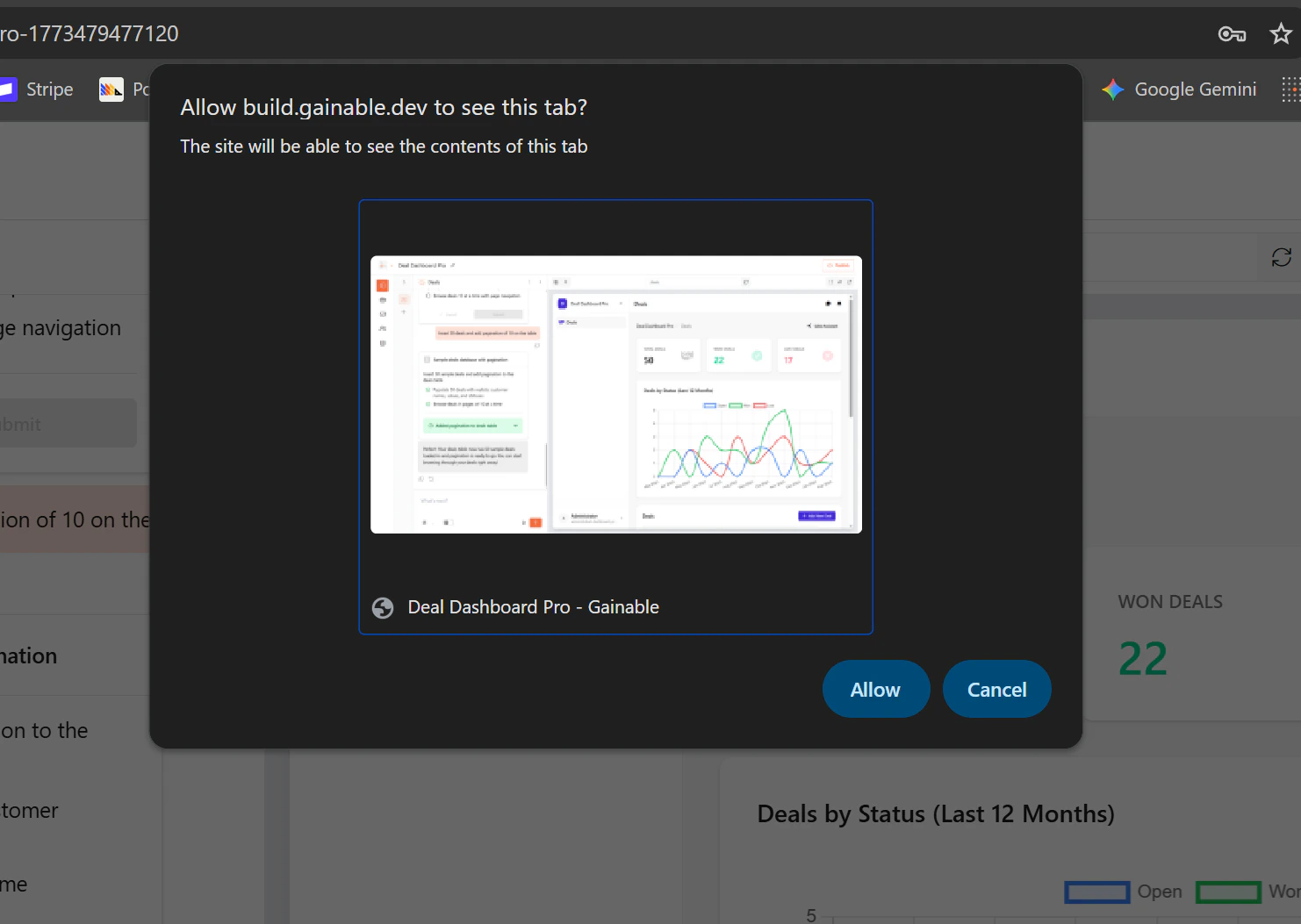 Draw freehand, add arrows, drop in text labels, or box an area.
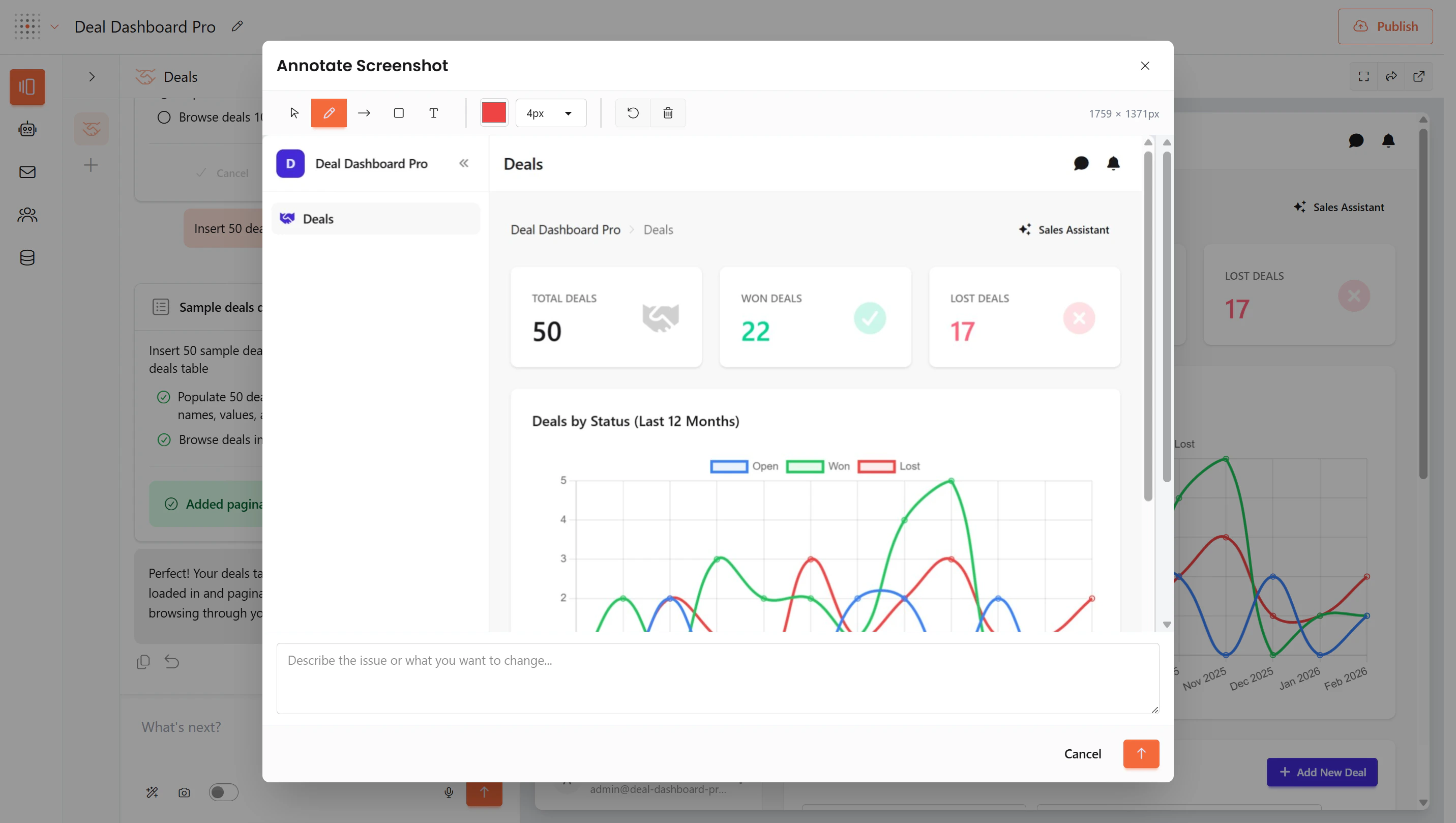 The drawing says where; the sentence says what.
Reach for it when something **looks** wrong, when a layout needs rearranging, when an element is missing and you can point at the gap, or when position matters more than words can carry.
A circle and an arrow with "move this here" beats a paragraph. It also pins the page, so there's no ambiguity about which one you mean.
## Asking versus changing
Gaia can answer questions about your app without touching it.
```text Asks — nothing is built theme={null}
How does the task filtering work?
What fields does the Deal model have?
```
```text Changes — a plan card appears theme={null}
Add a due date field to tasks
Change the dashboard to show monthly data
```
Opening with "how", "what", "where", or "explain" gets you an answer. If a plan card appears when you only wanted to know something, reject it — nothing has changed.
## Adding a page, renaming a page
Asking for a page that doesn't exist **creates** it. You don't need a different command for a new page than for a change to an existing one — describe what you want and the planner checks it against the app's real page list.
Renaming a page is a **display** change. The name updates everywhere you see it, while the slug, the URL, and the underlying filenames stay as they are — so existing links keep working.
Changing the URL is a different, larger request. Say so explicitly if that's what you want.
## Conversations
Every change belongs to a **chat** — the same conversation unit you see in the builder. An app can have as many as you like, and each is titled automatically from its first message.
The drawing says where; the sentence says what.
Reach for it when something **looks** wrong, when a layout needs rearranging, when an element is missing and you can point at the gap, or when position matters more than words can carry.
A circle and an arrow with "move this here" beats a paragraph. It also pins the page, so there's no ambiguity about which one you mean.
## Asking versus changing
Gaia can answer questions about your app without touching it.
```text Asks — nothing is built theme={null}
How does the task filtering work?
What fields does the Deal model have?
```
```text Changes — a plan card appears theme={null}
Add a due date field to tasks
Change the dashboard to show monthly data
```
Opening with "how", "what", "where", or "explain" gets you an answer. If a plan card appears when you only wanted to know something, reject it — nothing has changed.
## Adding a page, renaming a page
Asking for a page that doesn't exist **creates** it. You don't need a different command for a new page than for a change to an existing one — describe what you want and the planner checks it against the app's real page list.
Renaming a page is a **display** change. The name updates everywhere you see it, while the slug, the URL, and the underlying filenames stay as they are — so existing links keep working.
Changing the URL is a different, larger request. Say so explicitly if that's what you want.
## Conversations
Every change belongs to a **chat** — the same conversation unit you see in the builder. An app can have as many as you like, and each is titled automatically from its first message.
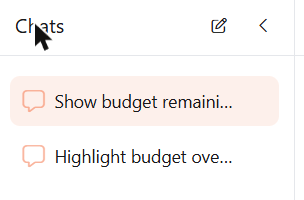 Start a new chat when you move to an unrelated topic. A long chat carries its history into every new request, which helps while you're iterating on one thing and gets in the way once you've moved on. You can pin, rename, and archive chats as they accumulate.
Which page you're looking at doesn't decide which chat you're in. A chat can span the whole app.
## Undoing a change
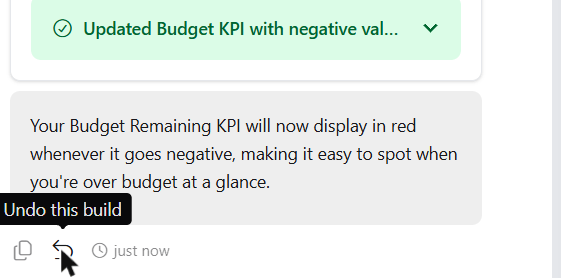
Every successful build is a snapshot. The most recent one can be reverted with the **Undo this build** button on its completion message.
Start a new chat when you move to an unrelated topic. A long chat carries its history into every new request, which helps while you're iterating on one thing and gets in the way once you've moved on. You can pin, rename, and archive chats as they accumulate.
Which page you're looking at doesn't decide which chat you're in. A chat can span the whole app.
## Undoing a change
Every successful build is a snapshot. The most recent one can be reverted with the **Undo this build** button on its completion message.
 To go further back, use commit history. See [How iteration works](/concepts/how-it-works#how-iteration-works) for both, including how rollback safety works.
The completion message is a summary of what the agent *did*, not proof of what you'll *see*. When a change is visual, look at the app before moving on — expanding the completion row shows which files were actually edited.
## Example requests
Refinement-shaped requests, in the form that works:
```text theme={null}
On the deals page, add a filter dropdown for status
Add a due date field to the Task model and show it in the tasks table
Move the Notes field from the sidebar into the main form
Change the notes field on the task form from required to optional
The chart should group deals by status, but it's grouping by company
Make the sponsors view the home page
```
Looking for a specific feature instead? Those live with the feature: [charts](/skills/chartjs), [kanban boards](/skills/kanban), [collaboration](/skills/weavy), [real-time updates](/building/real-time), [filters and views](/building/views), and [themes and colours](/skills/design).
## Learn more
Writing the prompt that builds it in the first place
Iteration, undo, and commit history
When something's wrong and you can't say what
The same changes from Claude Code, Claude, or Cowork
To go further back, use commit history. See [How iteration works](/concepts/how-it-works#how-iteration-works) for both, including how rollback safety works.
The completion message is a summary of what the agent *did*, not proof of what you'll *see*. When a change is visual, look at the app before moving on — expanding the completion row shows which files were actually edited.
## Example requests
Refinement-shaped requests, in the form that works:
```text theme={null}
On the deals page, add a filter dropdown for status
Add a due date field to the Task model and show it in the tasks table
Move the Notes field from the sidebar into the main form
Change the notes field on the task form from required to optional
The chart should group deals by status, but it's grouping by company
Make the sponsors view the home page
```
Looking for a specific feature instead? Those live with the feature: [charts](/skills/chartjs), [kanban boards](/skills/kanban), [collaboration](/skills/weavy), [real-time updates](/building/real-time), [filters and views](/building/views), and [themes and colours](/skills/design).
## Learn more
Writing the prompt that builds it in the first place
Iteration, undo, and commit history
When something's wrong and you can't say what
The same changes from Claude Code, Claude, or Cowork